What is Shopify Markets? A plain-English guide for UK store owners
By Joe Tuckwell
6th May 2026


Before Shopify Markets arrived, a UK merchant’s grand ambitions to go global would often crash on the rocks of administrative pain and poor user experience.
Historically, cross-border ecommerce forced them to make a frustrating trade off: provide a subpar experience for international customers (think GBP prices and surprise shipping fees) or manage a patchwork of entirely separate expansion stores.
Running multiple stores meant duplicated product listings, fragmented inventory, and a split SEO authority that made ranking in new regions twice as hard and a lot less rewarding. Add in duties, VAT, currency swings and language complexities, and it’s no surprise many small-to-medium businesses stuck to the UK market.
Shopify Markets was created to change that. Instead of running multiple expansion stores, Markets lets you manage international selling from a single Shopify store, with local currencies, languages and pricing handled centrally.
This guide explains exactly how Shopify Markets works in 2026 and how you can make the most of it.
The problem Shopify Markets was built to solve
In pre-Shopify Markets days, international selling was labour intensive. There was no getting around it – if you wanted to provide a localised experience, you had to build a dedicated store for each region.
A UK merchant might run a .co.uk store for domestic customers, a .com store for the US, a .eu store for Europe, and so on. Each one needed its own product catalogue, theme, apps, settings, and SEO strategy.
As you may have experienced, this led to some problems:
- Inventory chaos: Keeping stock levels synced across three different stores usually required expensive third-party apps.
- SEO dilution: Instead of building authority on one domain, you were trying to rank three separate sites, often competing against yourself in search results.
- Maintenance overload: Updating a product description or changing a price meant doing it three times. It was inefficient and a recipe for human error.
To sighs of relief from UK merchants, Shopify addressed these challenges when it launched Shopify Markets in 2021.
What Shopify Markets actually is
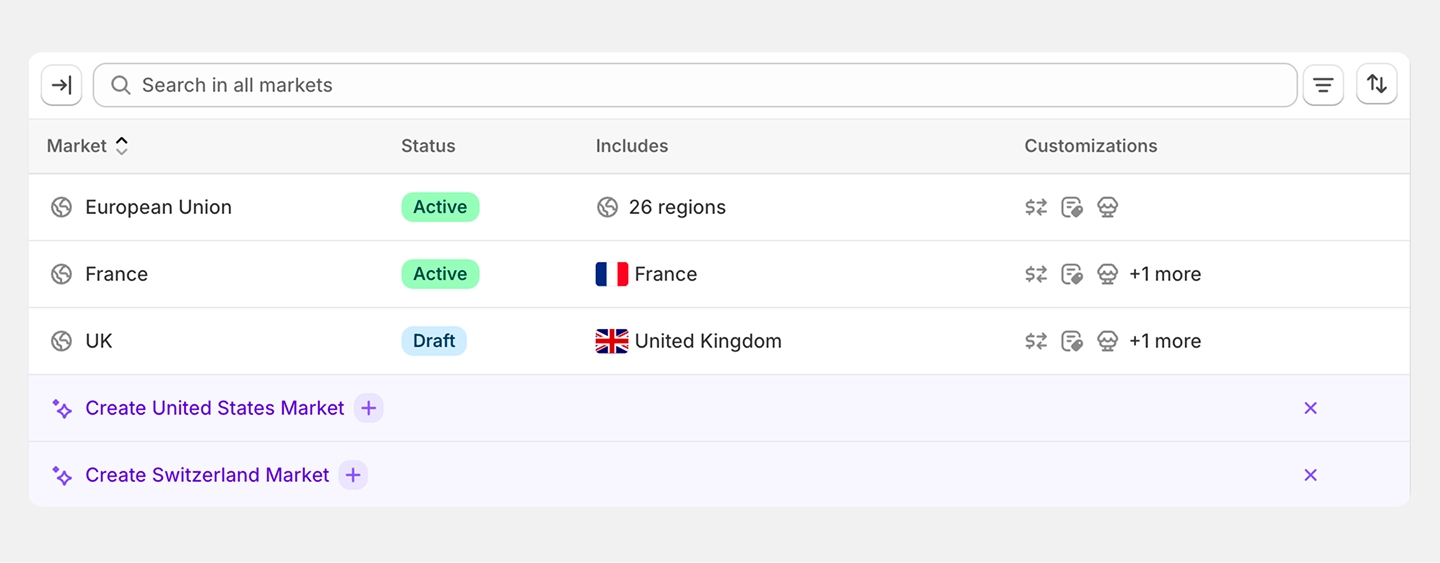
At its core, Shopify Markets is a built-in international selling tool that allows you to manage multiple country-specific storefronts from one place. You keep your single store and your one Shopify admin, but you gain the ability to tailor the shopping experience for every country you ship to.
Crucially, Markets is included on all paid Shopify plans. It isn't a paid add-on or a hidden pro feature. Whether you are on Basic or the top Plus tier, you have access to the foundations of global trade.
However, it’s worth noting the distinction between the standard version and Managed Markets (formerly Shopify Markets Pro).
Managed Markets is currently only available in the US, and limited availability to Canada and the UK. A wider roll out to other countries on the cards but not confirmed. While the standard version gives you the tools to manage things yourself, Managed Markets is powered by Global-e and acts as the merchant of record. That means it handles complex legalities, tax compliance and fraud prevention for you, in exchange for a transaction fee. Not sure whether Markets or separate expansion stores is right for your business? We've written an honest comparison to help you decide.
What Shopify Markets does automatically
One of the biggest wins for busy store owners who’ve set up Shopify Markets is how much heavy lifting the platform does behind the scenes. Shopify has spent the past two years tightening its international infrastructure, and the 2026 version of Markets is far more capable than earlier releases.
When you enable a new market, Shopify handles several technical layers of localisation without you needing to spend time getting your hands dirty in the coding, including:
- Market-specific pricing: You can see and adjust how your prices appear in search results globally.
- Geolocation-based redirects: Ensuring a customer in Berlin doesn't land on your UK-specific shipping page.
- Duties and tax calculation: In supported regions, it calculates the ‘landed cost’ so there are no nasty surprises for the customer at the door.
- Currency conversion: Using Shopify Payments, your store will automatically show local currency based on the shopper's location.
- Language routing: Shopify Markets detects a customer's browser language and automatically switches the storefront to match.
- Hreflang tag generation: This is a vital part of your Shopify SEO foundations. These tags tell Google which version of a page to show to which user, preventing duplicate content issues.
What you still need to do yourself
While the automation is impressive, Shopify Markets isn't a set and forget tool. It provides the engine, but you still need to drive the car.
To truly succeed in a new region, you need to stay on top of a few key areas:
- Local payment methods: Shoppers convert better when they see options they recognise – iDEAL in the Netherlands, Klarna across DACH, Pix in Brazil. Shopify Payments supports many natively, but they need switching on per market.
- Corporation tax and tariff compliance: Selling into a new market can create reporting obligations and tariff exposure you didn't have before. Keep country of origin data clean on every SKU, and make sure international sales and tax liability are being recorded accurately for your accountant.
- Imagery and cultural cues: Models, size charts, units of measurement and seasonal messaging all need a second look. A "summer collection" landing in Australia in July feels off, and a US 8 is a UK 12.
- International fulfilment and shipping: Shipping from a single warehouse works up to a point, but lead times to distant markets will hurt conversion. A regional 3PL, a forwarder, or splitting stock across Shopify locations is often worth the effort.
- International pricing: Auto-conversion is a starting point, not a strategy. Use Shopify Markets' price adjustments or fixed market prices to set deliberate price points, with rounding rules and local benchmarks in mind.
- Translations: Shopify doesn't automatically translate your copy. You’ll need to use its Translate & Adapt app or hire a professional to ensure your brand’s tone of voice hits the spot wherever content is read.
- Market-specific keyword research: People in the US might search for sweaters while your UK site uses jumpers. You need to update your SEO strategy with local knowledge.
- Local authority: Simply having a /fr subdirectory doesn't mean you'll rank in France. You still need to build local backlinks and set up Shopify Markets with a proper content strategy.
Shopify Markets vs Managed Markets – what's the difference?
Although Managed Markets hasn’t rolled out fully in the UK yet, it’s likely to land on these shores soon, which means you’ll soon have a choice:
Shopify Markets is the standard version included on all plans. It handles currency conversion, language routing, pricing rules and the overall structure of your international storefronts. It can collect VAT but will only estimate and display duties that customers may be required to pay as products cross borders.
Managed Markets is the upgraded version powered by Global-e. It handles duties and taxes at checkout, customs documentation, local payment methods, fraud protection, and delivers a more localised checkout experience.
Managed Markets currently costs 6.5% per transaction, with an additional 2.5% currency-conversion fee built into product prices. These fees replace the usual international payment processing fees, they’re not added on top of them.
Shopify describes this as an ‘all-inclusive’ model where duties, taxes, foreign exchange, and merchant-of-record services are wrapped into a single predictable cost.
For most UK merchants, the decision will come down to volume and complexity. If you’re shipping a handful of orders abroad each week, standard Markets is fine. If you’re shipping hundreds into a region such as the EU which requires a lot of customs documentation, Managed Markets may help to remove a lot of administration.
Which Shopify plan do you need for Markets?
Shopify Markets is available on every paid plan. Encouragingly, features that used to sit behind higher tiers, like unlimited markets and product-specific pricing, are now included across the board.
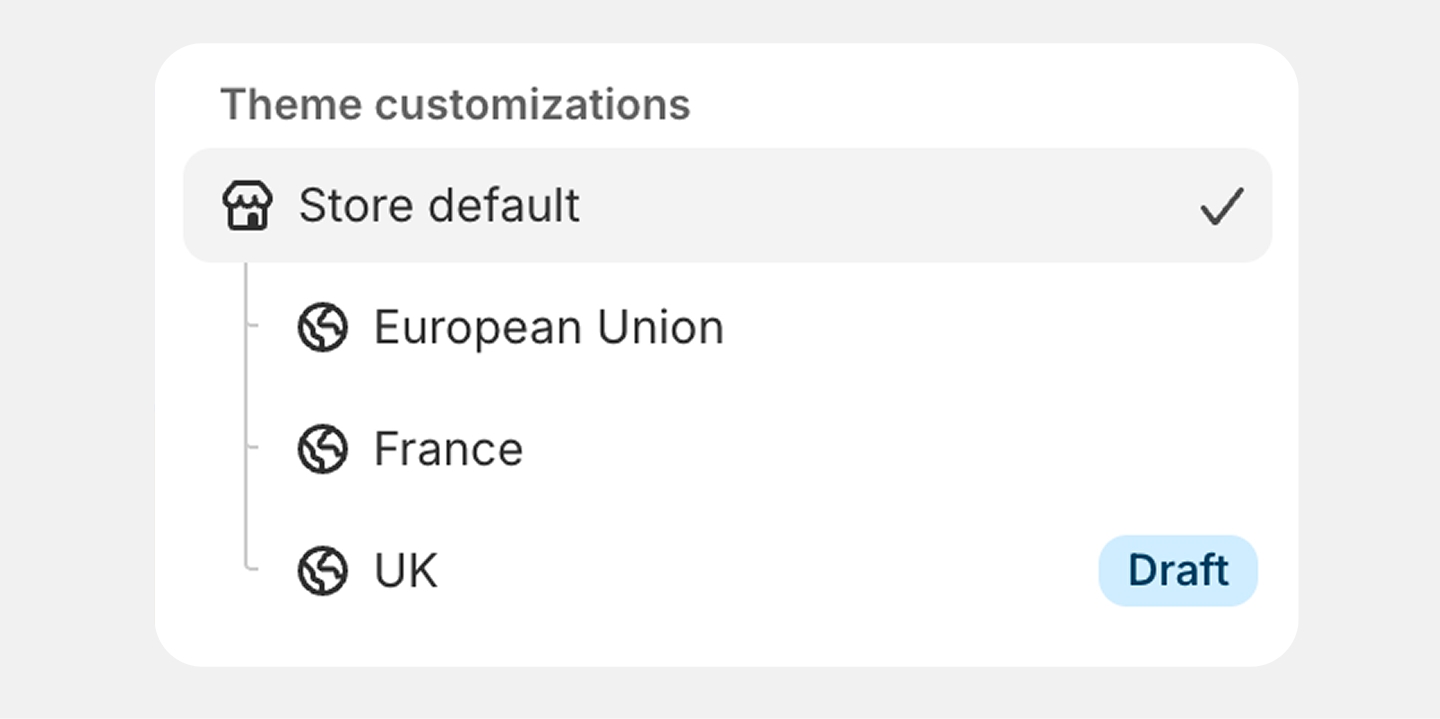
One thing worth flagging: if you want to run local storefronts per market – meaning separate theme templates, so each region can have its own layout, content blocks and merchandising rather than just translated copy – that's only available on the Advanced and Plus plans. For brands taking international seriously, it's often the feature that tips the decision on which tier to be on.
Is Shopify Markets right for your business?
Before you rush off and start opening stores across the globe, take a moment. Just because you can sell to more than 150 countries doesn't mean you should, at least not all at once.
We typically advise that Shopify Markets is best for:
- Merchants already seeing organic cross-border ecommerce traffic in their analytics.
- Businesses with a clear target market in a specific country.
- Merchants looking to consolidate away from expansion stores, where inventory and fulfilment are straightforward enough to run from a single setup.
You also need to back your stores with localised SEO and marketing plans. Without them it’s like opening a physical shop on a side street and not putting a sign up. In short, it’s better to win in one or two key markets than to be invisible in twenty.
Ready to set up your first market? Our step-by-step guide to setting up Shopify Markets for the EU walks you through the full process.
A quick recap
Hopefully you’ve got a better idea of how Shopify Markets can help your business create international storefronts and expand its cross-border ecommerce.
Before you go here’s a reminder of the key questions people ask us:
Is Shopify Markets free?
Yes, the standard version is included at no extra cost on all paid plans. Some features, such as local store-fronts, are reserved for Advanced and Plus plans, and Managed Markets has additional fees based on your transaction volume.
How many markets can I create on Shopify?
You can create up to 50 distinct markets from a single store, each with its own currency, language, pricing, and domain configuration.
Does Shopify Markets handle VAT and duties automatically?
Shopify Markets handles local tax rates and provides options for both DDP (Delivered Duty Paid) and DDU (Delivered Duty Unpaid). There is flexibility within Shopify to decide how and where you want shipping and taxes displayed per Market, but this is often driven by local regulations.
Can I use Shopify Markets without a custom domain?
Yes. But for best SEO results be consistent with either subdirectories, subdomains or domains for each market, rather than a mixture of domains or the default myshopify.com structure.